
CRM + field app · United Kingdom
CRM and field app for trade and installation businesses
Five subscriptions out. One system in.
Enquiries, quotes, scheduling, your engineers on site and the invoicing in one system — from first call to paid invoice, without typing anything twice.

Sound familiar?
Nine subscriptions, and you are the integration.
Quotes in one package, the schedule in a group chat, photos on the engineer's phone, and invoices you still write by hand in the evening.
- Separate systemsEnquiries, diary, quotes and invoicing do not talk to each other.
- Doing it twiceThe same customer details get typed in five places.
- EveningsHandover documents and invoices happen after hours.
How it works
A warm welcome for your customer.
One thing for you to do.
From the first click to the final invoice being paid. Above, what your customer experiences; below, what you have to do about it.
Picks when they get a call
They pick a call slot or an appointment themselves, and only see times that are genuinely free in your diary.
happens on its ownNothing
The appointment is in your diary before you know about it.
nothing to doGets a quote within minutes that leaves nothing to ask about
Complete: the specification with the drawing, product sheets and the warranty attached, options they can move themselves, and online acceptance with a signature.
happens on its ownNothing
The quote goes out with the pricing already in it. Build it yourself if you prefer — the follow-up still runs on its own either way.
nothing to doGets a polite reminder, not a chase
Email on day 4, a message on day 7, a call reminder on day 10. Yes or no, and it stops immediately.
happens on its ownNothing
This is where the money leaks in firms without a system: the quote that ends up at the bottom of the pile.
nothing to doAccepts, and books the survey themselves
The invitation follows straight after acceptance — again, only from what is genuinely free in your diary.
happens on its ownNothing
The job is scheduled and attached to the right engineer.
nothing to doMeets an engineer who knows exactly what is going on
No "let me ring the office". Photos, measurements and what was agreed are in the app — with no signal too.
happens on its ownDoes the job
Hours off the timer, signed off with your own checklist.
the only thing you doGets it right first time
The checklist makes sure everything is right before the engineer leaves. No second visit.
happens on its ownNothing
The completed list is in the CRM straight away.
nothing to doGets a handover document worth keeping
With photos, the ticked-off list and your branding. Plus the ask for a review, at the hour they are most pleased with you.
happens on its ownNothing
Your reviews grow on their own.
nothing to doGets the final invoice at the right moment
With a payment link, straight after sign-off. If it goes unpaid, a polite reminder follows on its own — which matters here, because there is no direct debit to fall back on.
happens on its ownNothing
The engineer's hours are already on it as a labour line.
nothing to doHears from you every year
Service contract? The recurring invoice goes out and the invitation to book the visit goes with it.
happens on its ownNothing
This is where most firms leave money: they have the contracts but they bill them badly. This customer starts again at step 01 on their own.
nothing to doUnder your own name
See it in your own branding.
Type in your website. The email, the quote, the invoice and the handover document pick up your logo and your colours — exactly as your customer will get them. No account needed.
To: Mr & Mrs Wilson · Subject: Your quote is ready
Dear Mr and Mrs Wilson,
Thank you for your enquiry. Attached is the quote for the air conditioning in the living room, with the drawing and the product sheets.
Kind regards,
Bridgewater Heating & Cooling
Living room air conditioning — Mr & Mrs Wilson
Valid for 30 days · 12 Church Lane, Exeter
Final invoice — Mr & Mrs Wilson
Payment terms 14 days · completed on 12 August
Completed on 12 August 2026
Living room air conditioning · engineer Ryan · signed at 15:24
When suits you?
Pick a time for the survey. You only see slots that are genuinely free.
Send this quote to yourself
Then you can look at it in your own inbox, in your own time — with your logo, your colours and your business name on it. One field, no account, nobody ringing you.
We use your address for this and nothing else. No newsletter unless you ask for one.
And it all stays together
Everything about one customer, on one page.
Every step leaves something behind: an email, a quote, a survey photo, a signed sign-off list, an invoice. When that customer rings in three years about the warranty, you have it in front of you in ten seconds.
Invoice IN2026-0311 paid by bank transfer
£1,380 paid, four days before it was due.
Photos Completion photos — Ryan
Four photos of the finished work, sent with the handover document.

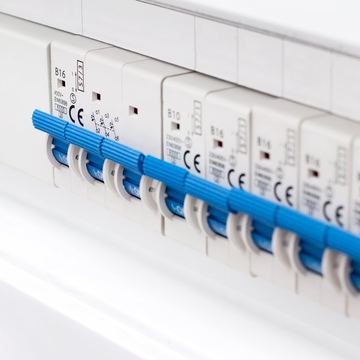


Appointment Installation, 08:00 to 12:30
Timer 2:14. Variation: 2 m of trunking.
Email "Could you do it a week earlier?"
Answered by the office, appointment moved.
Quote QU2026-0170 — accepted, £2,380
Signed after the second follow-up email. They took the option with the trunking included.
Photos Survey photos — Ryan
Consumer unit, wall and the penetration, with a note about the pipe run.
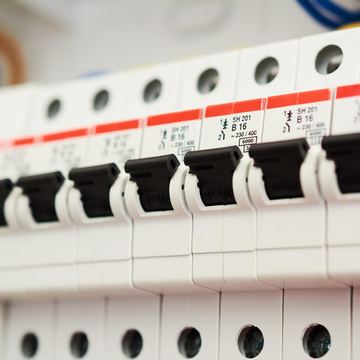


Appointment Survey — booked by the customer
The reminder went out automatically the day before.
Enquiry Through the website form
Living room, 34 m². Set up as a quote straight away.
Job tracking
Nothing gets left. Including the things you forget.
Quote follow-up makes sure the customer does not forget you. Job tracking makes sure you do not forget the customer. If something stands still too long, you hear about it — instead of the customer ringing to ask where you are.
Where it usually gets stuck
Not with the customer. With the steps in between that are in nobody's diary: materials not ordered while the fitting date is already booked, a variation agreed on site and never billed, a job finished and the final invoice never sent.
You set how many days each stage may stand still before somebody is told, and who is told. A dormer has a different rhythm to an air conditioning install.
3 jobs have stood still.
G. Hooper — materials not ordered for 9 days, fitting in 5 days
T. Newman — survey booked 14 days ago, not carried out
The Bakers — quote ready for 6 days, not sent
One message a day or a week — not pinging at you all day.
The survey
What goes where, and what exactly was agreed?
You record it once at the survey. The same survey is in the quote and in the app of the engineer who turns up weeks later — even when that is not the person who was there on the day.
Photo: rear wall, position of the outdoor unitThe same photo, in the quoteThe same photo, in the field appInstallations & servicing
The customer is not your unit. The installation is.
One customer can have three units at two addresses, on different intervals and fitted on different dates. Hang that off the customer and it blurs. Hang it off the installation and it keeps holding — even when the property changes hands.
What is held per installation
- Make, model and serial number — from a photo of the data plate, so no typing errors
- Fitting date and warranty period — you can see at once what is still under warranty
- Where it is in the building — in a commercial building an engineer otherwise spends half an hour looking
- Service interval and the last visit
- The full history — every service, every breakdown, every part replaced
Starting without a week at a screen
You do not have to enter four hundred installations first. Your engineer records one at each visit, standing in front of it anyway: a photo of the data plate, the serial number, done in two minutes. Within one service cycle the whole lot is there.
In June you already know which 120 boilers are due in the autumn.
And you group them by outward code, so your engineers are not crossing the county twice a day. Without a record per installation you routinely miss part of your service round — not deliberately, but because the list lives in somebody's head or in a diary that was not updated while they were on holiday. Every missed visit is a missed invoice, and a customer who assumes the following year that they no longer have a contract.
Capacity
How much work can you genuinely take on in the next few weeks?
Four engineers times forty hours is not a hundred and sixty hours of work. Travel, collecting materials, clearing up and the customer with one more question all come out of it — in most firms seventy to eighty per cent is what is left. The schedule shows you per week how many hours are booked per person and how much room is left.
At ninety per cent or more the first setback wrecks the week. Below seventy you can take work on. That is a decision you make in advance rather than a fact you notice afterwards.
Integrations
Your customer never notices you are using software.
Email from your address. A message from your number. A payment into your account. An appointment in your diary. Quandron does the work and stays out of sight.
Your own email address
Quandron connects to your own mail server. Post goes out from your address and replies come back onto the customer record on their own — even when the customer just hits reply.
Your own WhatsApp number
Reminders and follow-up from your own business number. Messages get read and answered faster than email — and the customer knows straight away who it is from.
Your own calendar
Two-way with the calendar you already use. What you block, the customer cannot book. What they book is in your calendar within two minutes — and in the engineer's.
Your own bank account
The payment link runs through your own payment account. The money comes straight to you — Quandron is not in the middle and takes nothing out. Paid is marked off automatically. Your customer pays by card, Apple Pay or Google Pay from the link, or transfers it with the invoice number as the reference. Note that there is no direct debit here: UK business banking sits outside SEPA Direct Debit, so nothing is ever taken from an account without the payer starting it.
Estimating
From cost price to a price you are willing to defend.
Labour per kind of work at your own rate, travel kept separate, materials with a mark-up per line or per group. Work you do often gets saved as a block — the next estimate is a change rather than a fresh start.
Estimate 0170 — living room air conditioning
The customer sees the tidy summary. You keep the detail lines — so you can find out later where the price came from.
And afterwards: was it right?
Because your engineer books hours against the job, you can put the estimate next to what it actually took. That is the fastest way to find out which kinds of work you consistently underprice.
Deliberately simpler than the estimating packages built for large contractors: no bills of quantities, but a proper estimate in twenty minutes.
Time recording
In a dispute your time records are the only evidence you have.
Working-time records have to be kept for two years (Working Time Regulations 1998) and pay records for six (National Minimum Wage Regulations 2015). The HSE enforces the first, HMRC the second. And the practical half is true everywhere: in a dispute with a former employee, only what you can show counts. Where there is nothing, their version of the week is usually the one that stands.
Why weekly sheets do not save you
Paper technically counts, but it goes missing, it arrives late, and afterwards nobody can say whether those four hours were overtime. That cuts both ways: if an engineer only mentions a Tuesday evening leak two weeks later, it goes through the payroll as ordinary hours — and you owe it. The other way round, hours get booked as overtime in a week that was not full.
What Quandron records on its own
- Date, start and finish time and the break, per engineer
- The job or project the hours were spent on
- Ordinary hours, overtime, travel and waiting time kept apart — chosen as it is entered, not reconstructed afterwards
- Holiday, sickness and weather stoppages as their own categories
- Sign-off on the weekly sheet by the engineer or the supervisor
- At the end of the week you can see at once who has entered nothing
And those same hours go onto the invoice as a labour line with one click.
What it does
79 features, in six parts.
A yellow line means it happens on its own, without you thinking about it. Click through for what a feature actually does.
In the office 18 features
Estimating & quoting 9 features
On site 19 features
Getting paid 10 features
Servicing & installations 10 features
Winning work 15 features
Every enquiry from a configurator arrives as a quote — with the survey details for the engineer — and is in your quote tracker at the same moment.
Built by an installation business
We built this software for ourselves.
Quandron was not dreamed up at a desk. We had two businesses of our own, engineers on the road and a handful of packages that did not talk to each other. What we were looking for did not exist, so we built it — and since January 2025 everything runs on it.
J&S Verduurzaming
verduurzamendeurne.nlWindows, heat pumps, air conditioning and solar for homes and commercial buildings in and around Deurne, in the Netherlands. Its own installation teams, thirty years in construction and building services, and certified under the Dutch BRL 100 scheme and the F-gas rules through Bureau Veritas.
Why Quandron looks the way it does: the F-gas log is in there because we have to keep one ourselves to hold our certification. The sign-off checklist is per product because a dormer has different points to an air conditioning install. And the photo survey exists because we sent an engineer out too many times who did not know what had been agreed.
- What changed: no order left unplaced, no survey that nobody books, and a customer who hears from us in time instead of having to ring.
- What did not change: the number of people in the office. We did not have to take anyone on.
J&S Energy
jsenergy.nlBattery storage from 5 kWh to 5 MWh, solar and rapid charging — from a home battery to an industrial estate. Engineering, installation, commissioning and service all in house, with nobody in between.
Why Quandron looks the way it does: the commercial configurators for rapid chargers and business batteries — with charging headroom, allowances and payback — exist because we needed them ourselves. We used to do that arithmetic in spreadsheets nobody else dared touch.
- What changed: fewer mistakes right through, because the engineer works from the same information as the office. And every job that stands still comes back up on its own.
- What did not change: the size of the admin, while the work grew.
Every feature in Quandron comes out of a day when something went wrong for us. That is also why there is nothing in it that nobody uses — what does not work in practice does not make it into the app.
Read the full story, with company number and both businesses →
Free, no account
Six free calculators you can use right now.
Work out quantities, areas and what a variation has to cost. No account, no email address, and they open on a phone — on site, between two jobs.
Quantities and areas 5 of them
Measure up, put the numbers in, and see what to order — including the waste, which is where most orders come up short.
For you as the business 1 of them
The sums you get stuck on in the evening. With the working shown, so you can explain it to a customer or to your accountant.
On site 6 of them
How many tiles do you need, how many tins of paint, what is the real area of that roof. The kind of question you get during a survey — now with an answer in ten seconds.
Configurators 11 of them
The big ones: your customer builds their own product on your website, gets the quote by email, and lands in your quote tracker at the same moment. They are being localised for UK VAT and grants; the EV charge point, air conditioning and underfloor heating ones come first, because they carry no grant logic.
Winning work
Configurators that send quotes while you are on site.
Your customer builds their product on your own website and has a complete quote by email within a minute. The same quote arrives with you — with the survey details for the engineer — and is in your quote tracker at that moment. The EV charge point, air conditioning and underfloor heating ones are localised for the UK first; heat pump and solar follow, because those carry the grant and the zero rate with them.
Windows
The customer builds their window; the quote goes out with the drawing on it.
Air conditioning
Pick the unit, get the price with the working shown. Arrives with the survey details for the engineer.
Heat pump
Size the output, pick the unit, and see the whole package. Grant amounts differ by nation in the UK, so those come from the country profile rather than from the page.
Underfloor heating
Put the rooms in and it works out pipe run, circuits and the manifold.
Solar
Roof plus a home battery, with the right VAT rate on each line — zero rated until 31 March 2027, then 5%.
EV charge point
Charging capacity and position; cable, groundwork and the supply upgrade are counted in.
Boiler
Three questions about hot water, then a boiler from your own range sized to it.
Dormer
Build it and watch it drawn live. The drawing goes out with the quote.
Insulation
Cavity, floor, roof and glazing. In the UK supply and installation of insulation in a home is zero rated until 31 March 2027 and 5% after that, and funded insulation is usually paid to the installer rather than to the customer — so a quote there carries a referral, not a grant line.
Rapid charger
Price a whole rapid charging site with charging headroom and payback, with a graph — including that most of the cost can be written off in year one under the Annual Investment Allowance.
Commercial battery
Four figures off the annual bill and your customer sees what a commercial battery does, with payback — and with the Annual Investment Allowance taken into account, which covers up to £1m of plant in the first year.
By trade
Set up for what your trade needs.
A roofer has different sign-off points to an electrician, and an air conditioning engineer needs an F-gas log that holds up. Sixteen trades, each with its own checklists, survey questions and quote lines.
An honest comparison
Quandron next to the kind of setup you are probably choosing between.
Point by point, with no talk about anyone else we cannot back up. So you can see for yourself where we are stronger and where we are not.
Rather read up first? The guides have 26 articles on job sheets, time recording, scheduling, service contracts, CIS and getting paid faster.
Fair is fair
Who is Quandron for, and who is it not for?
Better clear now than after a two-week trial.
For you
- A trade or installation business, 1 to 30 engineers
- You work with quotes, surveys and sign-off on site
- You have several separate packages now, or nothing at all
- You want the move done for you
Not for you
- A large contractor with an ERP and project accounting
- A shop or a merchant with no work on site
- You only want accounting software — that is not what this is
- You want everything built to order before you start
Savings check
What does it get you?
Slide it to your own situation. An indication based on roughly 65% less time on admin — what it turns out to be for you, you only know once you measure it.
No pitch
This is not a mock-up.
Click through it yourself.
A real, working Quandron environment with sample data in it. No form, no account, nobody ringing you.
Pricing
One flat rate per business. Not per user.
Your engineers are in the plan, at no extra charge. Cancel monthly, no setup fee, and we move you over for nothing.
Solo
For the sole trader — the same system, for one engineer.
- CRM and quotes with a signature
- Invoicing with a payment link
- Customer portal and accounting integration
Starter
Everything Quandron does, up to 3 engineers.
- Everything in Solo
- Field app for 3 engineers
- Email and WhatsApp automation
Professional
Plus the quote tracker — and seven more engineers.
- Everything in Starter, up to 10 engineers
- Every quote chases itself
- See who opened your quote
Enterprise
Everything in Professional — and then your way.
- Several branches or brands
- Integrations by API and webhooks
- A named contact
Separate packages soon cost more per engineer between them — and they do not talk to each other. Work out what you pay per engineer today → · Everything side by side in the comparison →
Before you start
Common questions
I have hundreds of customers in a spreadsheet. Do I have to retype them?
No. We move your customers, products and open quotes across for nothing — from a spreadsheet or from another package. In practice it takes an afternoon.
Am I tied in?
No. Cancel monthly, no setup fee, no annual contract. The 14-day trial ends by itself — nothing is taken unless you set it up yourself.
Whose data is it?
Yours. You get your own separated environment and you can export at any time. If you leave, you take it all with you.
Does the app work on any phone?
Yes, in the browser. Nothing to install, and it keeps working with no signal — everything is sent as soon as the connection comes back.
Can I connect my own email, calendar and payments?
Yes. One settings screen connects your mail server, your calendar, your payment account and your WhatsApp number. No developer needed. Your customers then pay by card, Apple Pay or Google Pay from the link on the invoice.
Does the time recording meet the legal requirements?
It records, per engineer, the date, start and finish time, the break and the job, keeping ordinary hours, overtime, travel and waiting time apart, with a sign-off on the weekly sheet. That covers what the Working Time Regulations 1998 call adequate records, which have to be kept for two years, and it feeds the pay records that have to be kept for six (National Minimum Wage Regulations 2015). Whether your own contracts ask for more is a question for your adviser.
Do you understand my trade?
We are installers ourselves. Quandron runs every day in our own two businesses, with our own engineers — F-gas log, surveys and signing off on site included. Those businesses are in the Netherlands, so ask us about the UK specifics rather than assuming.
Start your free trial
Two fields, that is all. Confirm your email address and your own environment is ready within a minute. 14 days free, no credit card.
Rather look first? Open the demo, no account →